
Three different products are sold as an "AI phone assistant." One screens calls so you can decide whether to pick up. One records and summarizes calls you already took. One answers when you can't, and books the job. Only the third recovers a missed call. Beside is the third kind.
We build the third kind. The other two are already on the phone in your pocket.
A year of the answering kind costs less than one average working day of revenue.
Three different products share one name
Search the phrase and you get a free spam filter, a meeting transcriber, and a service that answers your business line, ranked against each other as though choosing were a matter of budget. They act at three different moments, and only one involves the phone being answered.
What your iPhone already does, and what it can't
If the problem is junk calls, you are covered and should not buy anything. Apple built Call Screening into iOS 26, and in its own words it gives users "the details they need to decide if they want to pick up or ignore the call" (Source: Apple Newsroom, 2025). If the problem is forgetting what was said, that is handled too: since iOS 18.1 you can tap Call Recording during a call, and the recording and its transcript land in Notes (Source: Apple Support). Both are free. Go turn them on.
Now notice who those two features are addressed to. "Decide if you want to pick up." "During the call, tap Call Recording." Both are instructions for a person with a free hand.
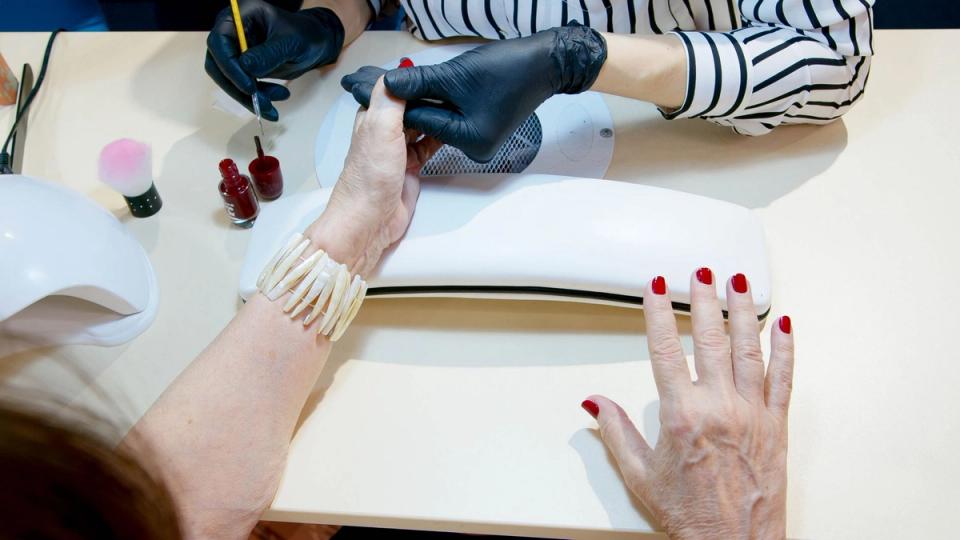
Tyna Atabaeva runs PodivaNYC, a one-person nail studio in New York, doing Russian gel manicures with both hands occupied for an hour at a stretch. She cannot decide whether to pick up, and she cannot tap anything during a call she is not on. Both free features assume a human is available, and that assumption is the whole category.
The answering kind is the only one that does not make it. Beside's receptionist answers, books, and qualifies (Source: Beside pricing), so the call becomes a conversation rather than a voicemail whether or not anyone is free. Booking runs through Beside itself, and no Google Calendar, Calendly, or Acuity integration is named on its integrations page today, though Zapier is listed.
So if you keep your day in Google Calendar or Calendly, plan on bridging it through Zapier rather than expecting a two-way sync. Check it during the trial: take a test call and watch where the appointment lands before you move your real number across.
Which one do you actually need
What each kind does when the phone rings:
| Screening | Recording | Answering | |
|---|---|---|---|
| What it does when the phone rings | Asks who is calling, then rings you | Nothing. It starts once you have answered | Picks up, talks to the caller, takes the details |
| If you are busy, the caller gets | Voicemail | Voicemail | A conversation |
| Can it book a job | No | No | Yes |
| Typical cost | Free on iPhone and Google Voice | Free on iPhone | Paid |
Then start from what you are losing. Three situations cover almost everyone.
| What is actually happening | What you need | What it costs | Do you need to buy anything? |
|---|---|---|---|
| Junk calls all day, answered anyway | Screening | Free | No. It is already on your iPhone, and on Google Voice. |
| Details forgotten by the end of the job | Recording and summaries | Free | No. Also already on your iPhone. |
| Calls arriving while both hands are busy, heard about at eight that night | Answering | Paid | Yes. This is the one the phone cannot do for you. |
Two of those rows end with you spending nothing. If the third one fits and you want the ranked options, we keep a list of which AI receptionist to pick.
If you are not on a current iPhone
Call Screening needs iOS 26, and call recording needs iOS 18.1 or later (Source: Apple Support). On an older iPhone, or on Android, neither is waiting for you.
Screening is the easier one to replace: Google Voice does a version on any phone at no cost, asking unknown callers to speak their name and playing it back so you press 1 to accept or 2 to send them to voicemail (Source: Google Voice Help). That second option is the boundary of the whole category: if you do not press 1, the caller still lands in voicemail. Screening announces. It never answers.
Worth knowing: the trial is an in-app subscription on the iPhone app listing (Source: App Store), so the answering kind is an iPhone-first purchase today. Beside itself runs on mobile and web (Source: Beside pricing).
What the answering kind costs, and what one day is worth
The Census Bureau counts 29.8 million nonemployer businesses in the United States, meaning businesses with no paid employees, and puts their combined receipts at $1.7 trillion (Source: US Census Bureau, 2025). Divide the one by the other, which is our arithmetic and not the Census Bureau's, and the average one-person business takes in about $57,000 a year. Across a 250-day working year that is roughly $228 a day.
A year of Beside is $199.99, or $29.99 month to month. The year costs less than that single average day.
Your number is not the average, so do the version that counts: divide $199.99 by what one booked job is worth to you. For a plumber or a roofer that is a single job. For a nail studio it is a handful of appointments. Either way it is a number you can check against last month. We broke down what answering services actually charge separately.
What it looks like on a real line
Tyna's number had a second problem. She ran Google and Instagram ads, so the number on them was public, and the junk arrived with the inquiries.
She moved the advertised number to her Beside line. The receptionist now picks up everything, so the calls she wants are captured with the details and the ones she does not want never reach her.
"The best thing I loved is she's handling those scam calls, scammers can't go through to me." — Tyna Atabaeva, PodivaNYC
That is not a spam filter, and Beside does not sell one. It is what happens when something answers every call instead of ringing through to a person who has to judge each one. She reads the summaries between clients.
That is the shape of the third kind: it does not make the caller wait for you to be free.
Getting the answering kind onto your line
Three steps:
- Choose your number. Take a business number in your local area code and point your ads at it.
- Tell it about the business. It answers, books, and qualifies against what you give it, and improves with every call.
- Read the summaries. The calls it handles are transcribed and summarized, with a daily recap.
Unlimited calls and texts across the US and Canada are included (Source: Beside pricing).
FAQ
What is an AI phone assistant for a small business?
The phrase covers three different products. One screens calls and tells you who is calling. One records and summarizes calls you have already taken. One answers the phone when you cannot and captures the job. Only the third recovers a call you would otherwise have missed.
Does an AI phone assistant answer calls or just record them?
That is settled by which of the three you bought, and the listings rarely make it clear. Recorders and transcribers need you to have answered first, because there is no audio otherwise. Only the answering kind picks up on your behalf.
Do I need an AI phone assistant if my iPhone already screens calls?
Not for spam. Call Screening in iOS 26 handles that at no cost, and iOS 18.1 records and summarizes calls you take. You need the answering kind only if the calls you are losing arrive when you are not free to reach the phone.
What is the difference between call screening and an AI receptionist?
Screening decides whether your phone rings and hands the decision back to you. An AI receptionist takes the call instead of you, gets the details, and can book the appointment. Screening still requires you to be available; answering does not.
Can an AI phone assistant book appointments?
The answering kind can. Beside's receptionist answers, books, and qualifies, and the booking runs through Beside itself. There is no named Google Calendar, Calendly, or Acuity integration today, though Zapier is available.
How much does an AI phone assistant cost for a small business?
Screening and call recording are free on a current iPhone. The answering kind is the one you pay for. Beside is $199.99 per user per year, or $29.99 a month, after a seven-day free trial.
Beside is also launching something new soon, built to run more of the work around a job than the phone line does on its own. If that sounds relevant to your business, you can join the waitlist.
Sources: Apple Newsroom, 2025, Apple Support, Google Voice Help, US Census Bureau, 2025. Beside pricing and features verified on beside.com/pricing and the App Store listing on 2026-08-04. Hero photo: Pexels.